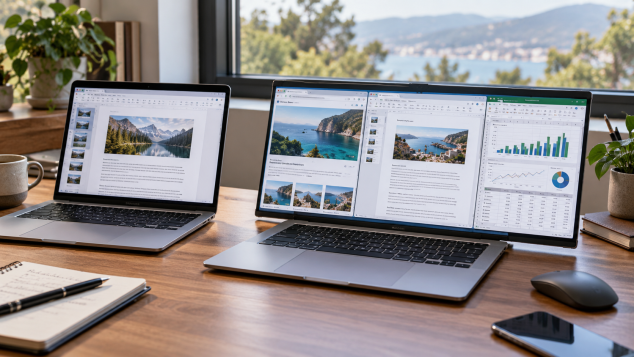
A rollable laptop can give you extra screen space when you need it while keeping the footprint of a smaller notebook for travel. The real question is whether that added flexibility is useful enough to justify the extra complexity, cost, and moving parts.
A rollable laptop takes one of the oldest compromises in portable computing and tries to loosen it: the size of the screen is usually tied to the size of the machine you have to carry. An expandable laptop screen changes that relationship by using a flexible OLED panel that can physically increase its visible area when needed. In current designs, some of the flexible display remains curved or rolled within the laptop structure while the screen is retracted. A motorized mechanism then extends the panel and supports the additional surface as it moves into view. Close it back down and the machine returns to something closer to the dimensions of an ordinary notebook. A regular laptop has a fixed display, so buying a 14-inch machine means living with roughly that amount of screen space everywhere unless you connect another monitor. That basic difference is why I find the rollable laptop idea more interesting than many unusual PC concepts. It addresses a limitation I run into regularly with portable computers.
Lenovo has given the idea some useful real-world grounding. At its September 2026 Innovation World event in Berlin, the company showed Project Swan, a ThinkBook proof of concept with a rollable display that expands horizontally. Reports from IFA described it as growing from roughly 14 inches to 17 inches, turning a fairly conventional-looking notebook into a considerably wider workspace. Lenovo had already taken a different approach with the ThinkBook Plus Gen 6 Rollable, a commercial design whose flexible OLED extends vertically from 14 inches to 16.7 inches using a motorized mechanism activated through a keyboard control or gesture. Lenovo's specifications describe the panel as a flexible plastic OLED, with its resolution changing from 2000 x 1600 in the retracted position to 2000 x 2350 when extended. Those two approaches are important because they reveal that an expanding laptop display can solve different problems. Extra height helps with long documents, code, and vertically stacked windows. Extra width makes more sense for the side-by-side work many of us already try to squeeze onto a laptop.
Horizontal expansion is the version I would personally find more useful. A roughly 14-inch notebook is close to my preferred size for carrying around, yet there are plenty of moments when its desktop feels cramped. Give me a wider rollable screen and I can keep a document open beside a browser without shrinking both windows into narrow strips. A spreadsheet could show several more columns before horizontal scrolling becomes necessary. Photo-editing controls can stay visible beside a larger preview, while a video editor gains a longer timeline. Even something as mundane as leaving Slack, Teams, or email visible beside whatever I am actively working on becomes less irritating. The advantage makes even more sense while travelling. Getting something approaching a larger desktop from a laptop that still fits in a bag designed around a compact notebook is exactly where an expanding laptop display earns its keep. I would rarely carry a 17-inch laptop through an airport by choice. Temporarily turning a 14-inch computer into something closer to one sounds much easier to justify.
That usefulness still depends heavily on how you work. A good regular 14-inch or 15-inch laptop already handles browsing, writing, streaming, and general office work comfortably, especially once you get used to Windows or macOS window-management features. Virtual desktops and snapping tools reduce some of the pressure created by a smaller screen. At a permanent desk, a proper external monitor remains a more convincing answer for anyone who needs lots of workspace for several hours at a time. A 27-inch monitor gives you far more room than an expandable laptop screen ever will, and you are free to position it at a better height. The rollable advantage shows up most clearly between those two situations: people who move around frequently and still want a larger working area when they stop. Someone who spends nearly every day at the same desk will probably get far less value from the mechanism than a consultant moving between offices, a creator working from different locations, or a frequent traveller who dislikes portable monitors.
The disadvantages of a rollable laptop come from everything required to make that transformation happen. A conventional laptop display assembly is comparatively simple. A rollable screen laptop needs a flexible panel plus guides, motors, supporting structures, sensors, and space for the retracted portion of the display. That can influence thickness and weight, while operating the mechanism also consumes some power. Flexible OLED technology has matured considerably, so I would avoid assuming every rollable panel is destined to fail early. There are simply more moving parts and tighter tolerances involved, which creates additional questions about long-term wear and repair costs. Damage to an ordinary laptop display is already expensive; damage involving a specialized expandable OLED display and its extension mechanism could be considerably more involved. Early rollable models also carry the burden of recovering expensive engineering costs from a relatively small pool of buyers. For me, reliability and serviceability would matter almost as much as display quality before I spent premium-laptop money on one.
A rollable laptop also makes more sense once you separate it from the foldable laptop category. A foldable laptop typically uses one large flexible screen that bends at a central crease, allowing the computer to open into a much larger display surface. That design can create an impressive canvas in a surprisingly compact package, though it often changes how the keyboard works. Some foldable PCs rely on a separate or removable keyboard, and their desk setup can feel closer to a large folding tablet than a familiar notebook. A rollable design can preserve the normal clamshell layout, physical keyboard, touchpad, and familiar laptop hinge while letting the display grow beyond the dimensions of the closed machine. I prefer that approach for everyday productivity because I do not want to rethink the basic laptop every time I open it. Foldables can achieve a more dramatic increase in screen area. Rollables have a strong opportunity to make expansion feel like an optional feature attached to an otherwise conventional computer.
Accessories become unusually important with a premium rollable because they help turn that flexible screen into a practical workstation. I would start with a structured laptop sleeve or travel case rather than the thinnest fabric pouch available. The mechanism may be engineered for repeated movement, yet protecting the lid from pressure inside a packed bag still seems sensible. A compact USB-C or Thunderbolt dock would be high on my list too, especially if the laptop sacrifices ports to make room for its display hardware. It lets one cable handle an external monitor, wired networking, storage, and other desk peripherals. For travel, a small GaN USB-C charger can replace a bulky power brick as long as it supplies the wattage the laptop expects. Once the expandable screen is being used for longer work sessions, a laptop stand becomes more useful because that larger panel deserves a comfortable viewing height. Pair the stand with a compact mechanical or Bluetooth keyboard and the machine can behave much more like a desktop workstation. A wireless productivity mouse also becomes easier to justify when there is a wider desktop to move across. Photographers and video editors are the people for whom I would add a portable SSD immediately, since extra display room encourages exactly the sort of media workflows that can chew through internal storage.
So, is an expanding laptop screen actually useful? I think it can be, provided your work regularly makes a compact screen feel restrictive while you are away from a permanent desk. Writers comparing sources, spreadsheet-heavy professionals, programmers, photographers, video editors, and frequent business travellers all have credible reasons to want more display area without carrying a physically larger computer. Someone who mostly browses the web, watches video, answers email, or docks a laptop beside a large monitor every day has a much weaker reason to pay extra for the mechanism. Between a rollable laptop and a regular laptop today, the conventional machine remains the easier recommendation for the broadest range of buyers because it is simpler and available across far more price points. The expanding screen is the feature I would watch closely, though. If manufacturers can reduce the added thickness, make repairs reasonably accessible, control the price premium, and demonstrate convincing durability over years of daily use, a rollable OLED laptop could become one of the rare unusual form factors whose practical benefit is obvious every time the desktop starts feeling crowded.
Pros:
- Expands screen space without requiring a permanently larger laptop.
- Useful for side-by-side documents, spreadsheets, editing timelines, and multitasking.
- Can be more travel-friendly than carrying a 17-inch laptop or portable monitor.
- Rollable designs can preserve a familiar clamshell keyboard and touchpad layout.
- Flexible OLED panels can deliver strong contrast and image quality.
- Horizontal expansion is especially useful for wider productivity layouts.
Cons:
- More motors and moving parts can increase repair complexity.
- Flexible display mechanisms may add thickness and weight.
- Expanded screen use can increase battery consumption.
- Early rollable laptops are likely to carry a significant price premium.
- Long-term durability is still less established than with conventional laptop displays.
- A regular laptop connected to an external monitor is still more practical for a permanent desk setup.
Bottom Line:
A rollable laptop makes the most sense for people who regularly work away from a desk and genuinely run out of screen space on a compact notebook. I like the idea because it lets a portable laptop temporarily behave more like a larger workstation, though I would want proven durability, reasonable repair costs, and a smaller price premium before choosing one over a good regular laptop.
Tags:
rollable laptop, rollable laptop vs regular laptop, expandable laptop screen, rollable OLED laptop, expanding laptop display, rollable screen laptop, Lenovo rollable display, Lenovo Project Swan, ThinkBook Plus Gen 6 Rollable, expandable OLED display,